Node.js
& A new thought towards web stack design
Xing Zhou
Outline
- Node.js overview
- Module system
- Final Project stack design
What is Node.js
Official description:
Node.js is a JavaScript runtime built on Chrome's V8 JavaScript engine
An easy way to understand:
A JavaScript "interpreter" running on native OS.
Why is Node.js popular?
- Easy to transfer to back-end programming for front-end engineer
- Easy to learn JavaScript for a novice
- Non-blocking I/O
- V8 engine is so fast.
- Good to handle high concurrency of requests
Why Node.js, not Node.py?
1. V8 engine's speed
2. Low development cost
3. Less history problems
- The reason to choose JavaScript:
Within of Node.js
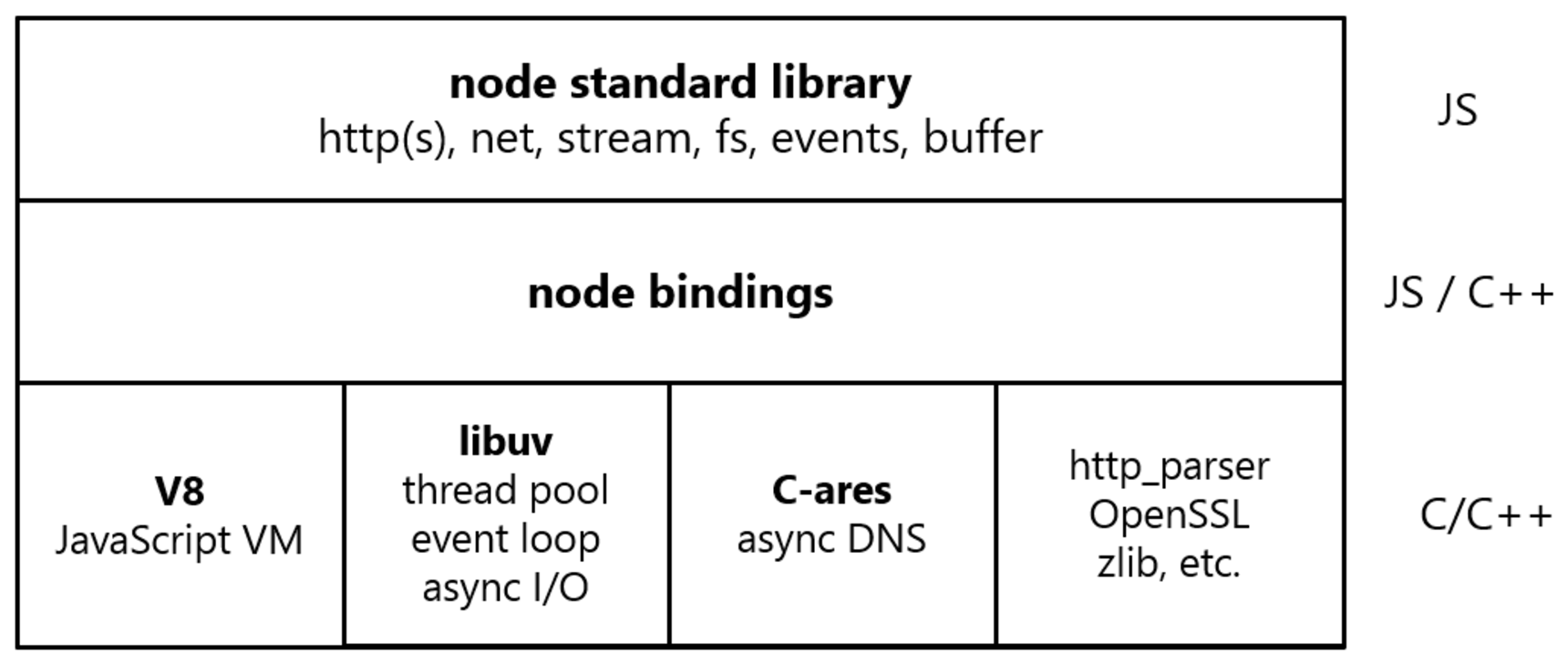
- source: http://liyangready.github.io/
Introduction of libuv
- A multi-platform C library that provides support for asynchronous I/O based on event loop
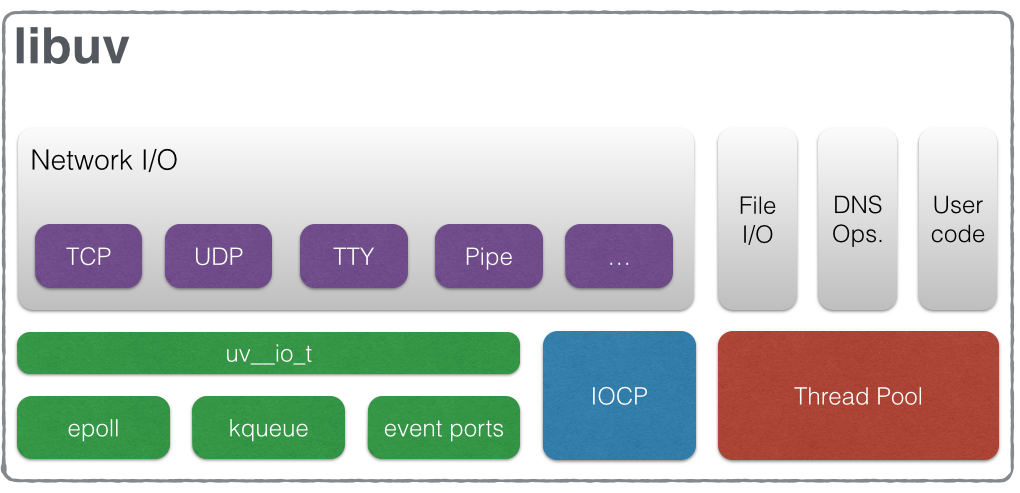
- source:http://liyangready.github.io/
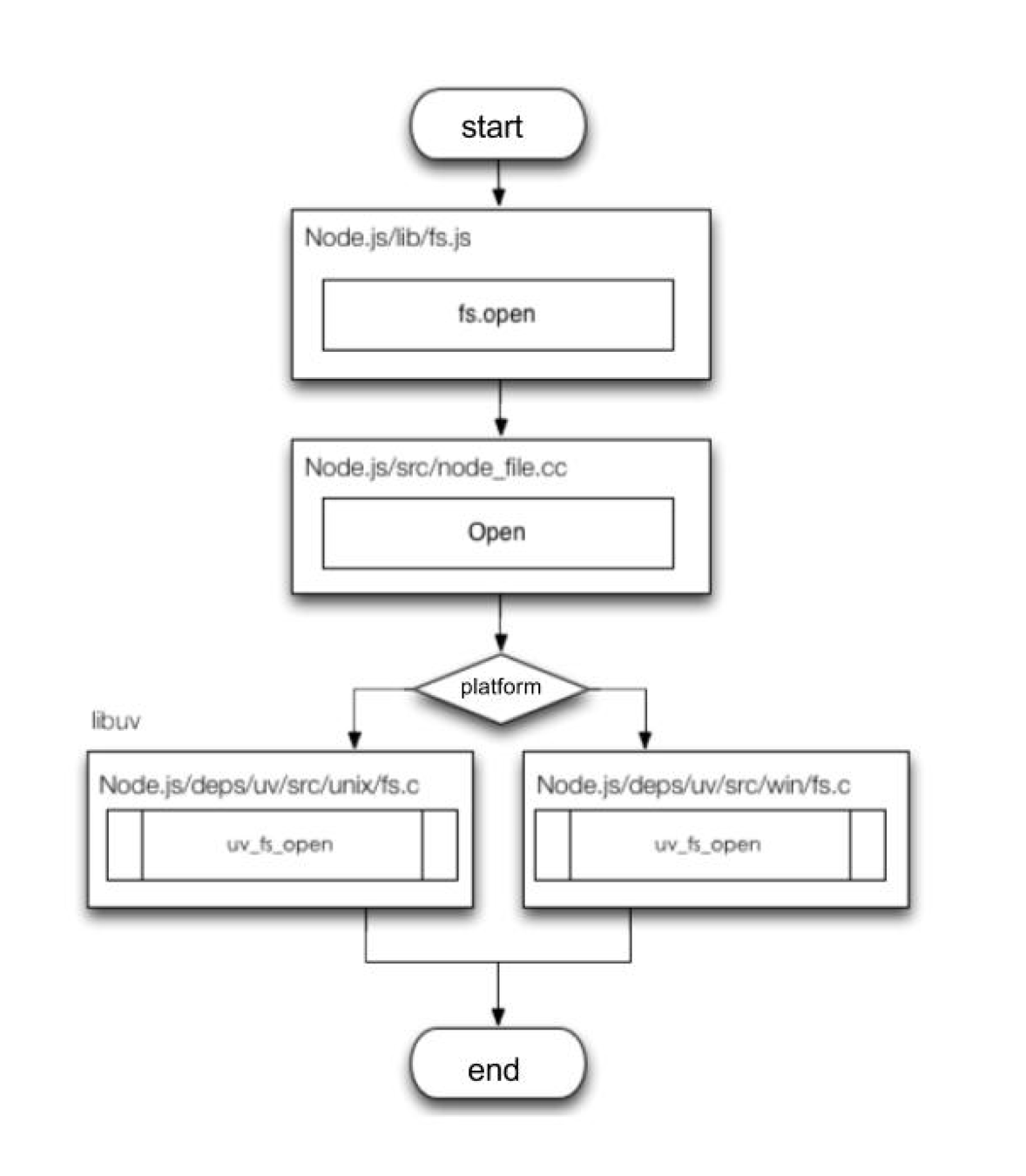
An example of how libuv interact with native file system
An asynchronous function call
var fs = require("fs");


console.log("begin");

fs.readFile('package.json','utf-8',function(err,data){
    if(err)
        console.log(err);
    else
        console.log("get file content");
});

setTimeout(function(){
    console.log("timeout2");
});

console.log('end');


// output:

begin
end
timeout2
get file content
The event model
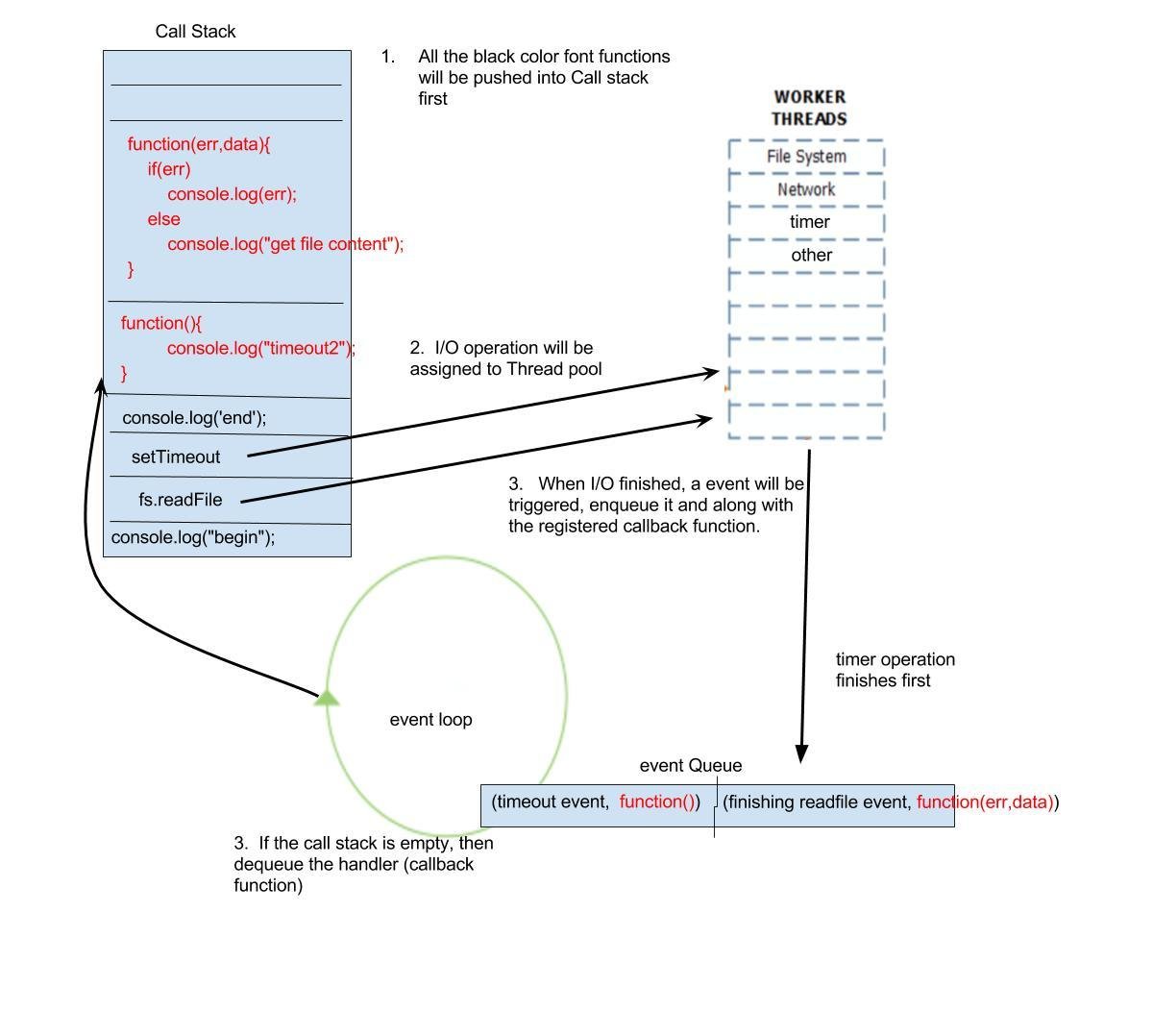
Role of Libuv
-
Wrap I/O operation, it's callback function and corresponding event into an object and push that object into thread pool
-
Register that event to the watcher queue
- Use poll mechanism in different platforms to query whether an event happens:
- "epoll" in Linux
- "IOCP" in Windows
- "kqueue" in OSX
- If an event happens, push that object to the event queue and let event loop to dequeue it and extract the callback function inside it.
Part 2: Module system
-
CommonJS
-
Express.js
-
fs
-
socket.io
- passport.js
-
...
Introduction of npm
-
A package manager for Node.js
- Uses "package.json" file to store information
Take a look at package.json
{
    "name" : "MEAN",
    "version" : "0.0.3",
    "dependencies" : {
        "express" : "~4.8.8",
        "morgan" : "~1.3.0",
        "compression" : "~1.0.11",
        "body-parser": "~1.8.0",
        "method-override":"~2.2.0",
        "ejs": "~1.0.0",
        "express-session": "~1.7.6",
        "connect-flash": "~0.1.1",
        "mongoose": "~4.4",
        "passport": "~0.2.1",
        "passport-local": "~1.0.0",
        "passport-facebook": "~1.0.3"
    }
}
Common Commands:
- npm init
- npm install
- npm install module_name
- npm install module_name --save
CommonJS
-
It's more like a standard coding protocol
- Enable JavaScript modularized functionality
- Each .js file is a module
use "exports" object
// int test.js file:

exports.hello = function() {

    console.log("hello");

};


// in another file:
var test = require(./test.js);
test.hello();
Express.js
-
The son of Connect.js -
A MVC framework in the backend
-
Provides routing mechanism
-
Provides middleware mechanism -
Easily start up a server
Start a http server
var express = require('express');
var app = express();

app.listen(8080);
Routing
module.exports = function(app) {

    app.get('/', function(req, res) {
       res.render('index', {
           title: 'Hello World',
           user: 'Xing Zhou'
       })
    });
};
Middleware
// init
var config = require('./config');
var express = require('express'),
    morgan = require('morgan'),
    compress = require('compression'),
    bodyParser = require('body-parser'),
    methodOverride = require('method-override'),
    session = require('express-session'),
    flash = require('connect-flash'),
    passport = require('passport');
// configuration
module.exports = function () {
var app = express();
if (process.env.NODE_ENV === 'development') {
app.use(morgan('dev'));
} else if (process.env.NODE_ENV === 'production') {
app.use(compress());
}
app.use(bodyParser.urlencoded({
extended: true
}));
app.use(bodyParser.json());
app.use(methodOverride());
app.use(session({
saveUninitialized: true,
resave: true,
secret: config.sessionSecret
}));
app.use(flash());
app.use(passport.initialize());
app.use(passport.session());
app.set('views', './app/views');
app.set('view engine', 'ejs');
app.use(express.static('./public'));
return app;
};What is "ejs"?
<!DOCTYPE html>
<html ng-app="mean">
<head>
    <title><%= title %></title>
</head>
<body>
    <% if (user) { %>
        <a href="/signout">Sign out</a>
    <% } else { %>
        <a href="/signup">Signup</a>
        <a href="/signin">Signin</a>
    <% } %>

    <section ng-view></section>

    <script type="text/javascript">
        window.user <%= user || 'null' %>;
    </script>
</body>
</html>
- A template engine
System module: fs
-
Node.js bundled module
- fs is a abbreviation for "file system"
- Provides operation of native file system.
Examples of APIs
var fs = require('fs');

// asynchronously reading file
fs.readFile('./image.png', function (err, buffer) {
  if (err) throw err;
  process(buffer);
});
// synchronously reading file
var text = fs.readFileSync(fileName, 'utf8');

// asynchronously writing file
fs.writeFile('message.txt', 'Hello Node.js', (err) => {
  if (err) throw err;
  console.log('It\'s saved!');
});
// synchronously reading file
fs.writeFileSync(fileName, str, 'utf8');

// asynchronously making directory
fs.mkdir('./helloDir',0777, function (err) {
  if (err) throw err;
});
// synchronously making directory
fs.mkdirSync('./helloDirSync',0777);
Npm registry now hosts 450,000
modules...
- source: https://www.npmjs.com/
An awesome Node.js modules collection:
https://github.com/sindresorhus/awesome-nodejs
Some tools
-
grunt
- mocha
- bower
- pm2
Part 3: stack design
Q: Only MEAN?
A: Not enough.
What's the problem with MEAN?
- For enterprise level web application. Traditional MEAN stack cannot totally separate front-end & back-end work
who handles dynamic HTML files?
Solution?
-
Let SPA handle all the front-end logic and server only provide JSON data via RESTful API.
- Or we can let front-end engineer handle the dynamic template html files and back-end engineer will be only responsible for the business logic.
Either way, let front-end engineers have full control of the UI part
But if you are a real full stack engineer, then don't listen to the rest. 🙂
The Midway framework
- The idea of separation of front end and back end
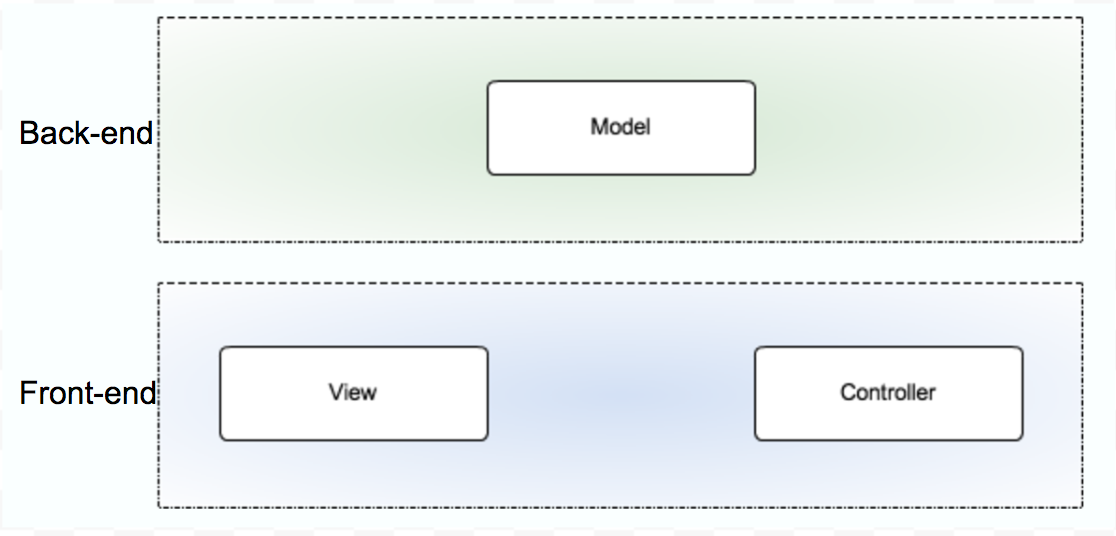
Front-end: View, Control Back-end : Model (Business logic)
- source: https://www.kancloud.cn/kancloud/midway/48192

- source: https://www.kancloud.cn/kancloud/midway/48192
Apply Midway to my project
-
Use V8 engine, C++ is the best option
-
Reuse 687 OOD's project:
"Code Analyzer" &
"Package dependency Analyzer"
-
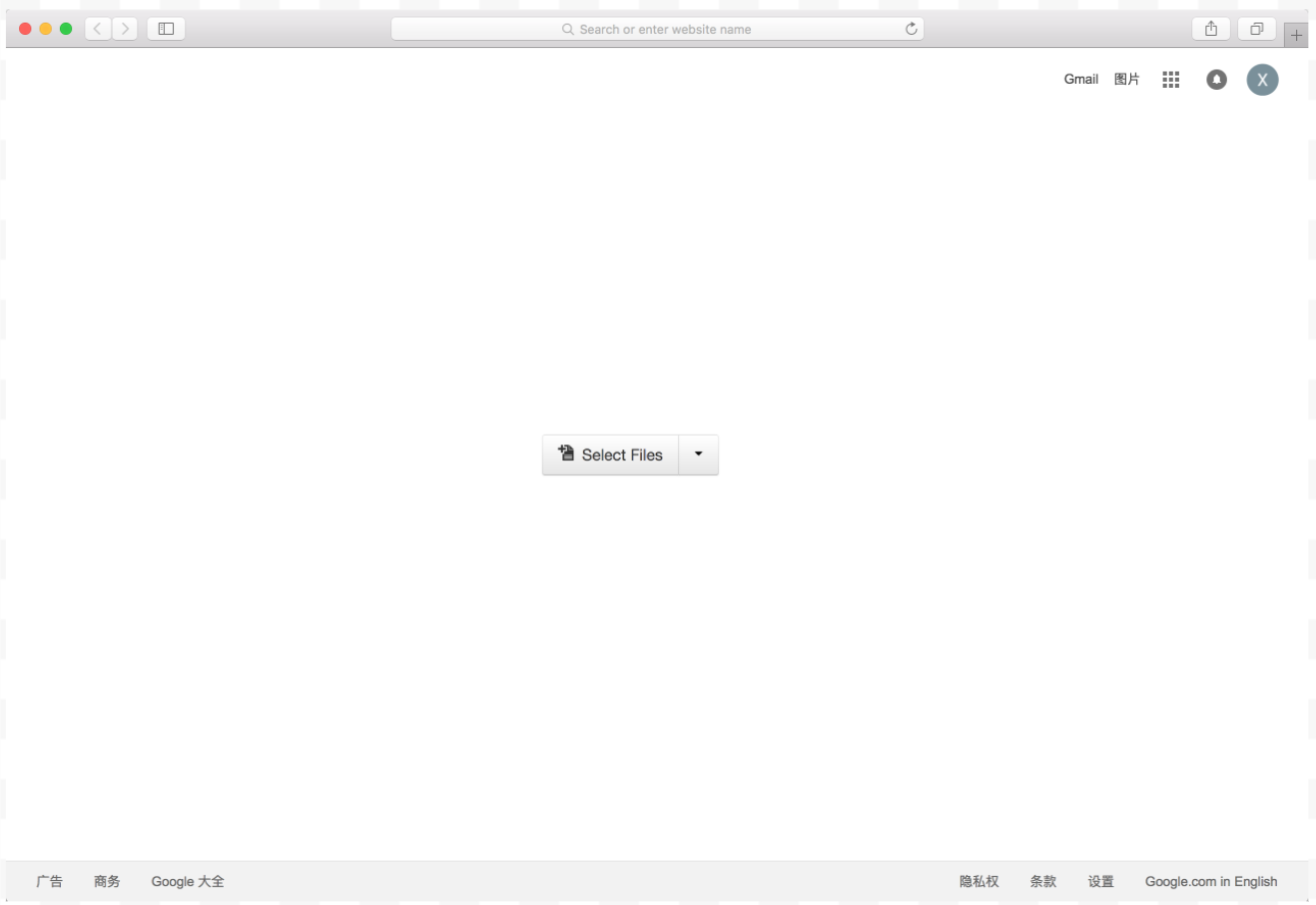
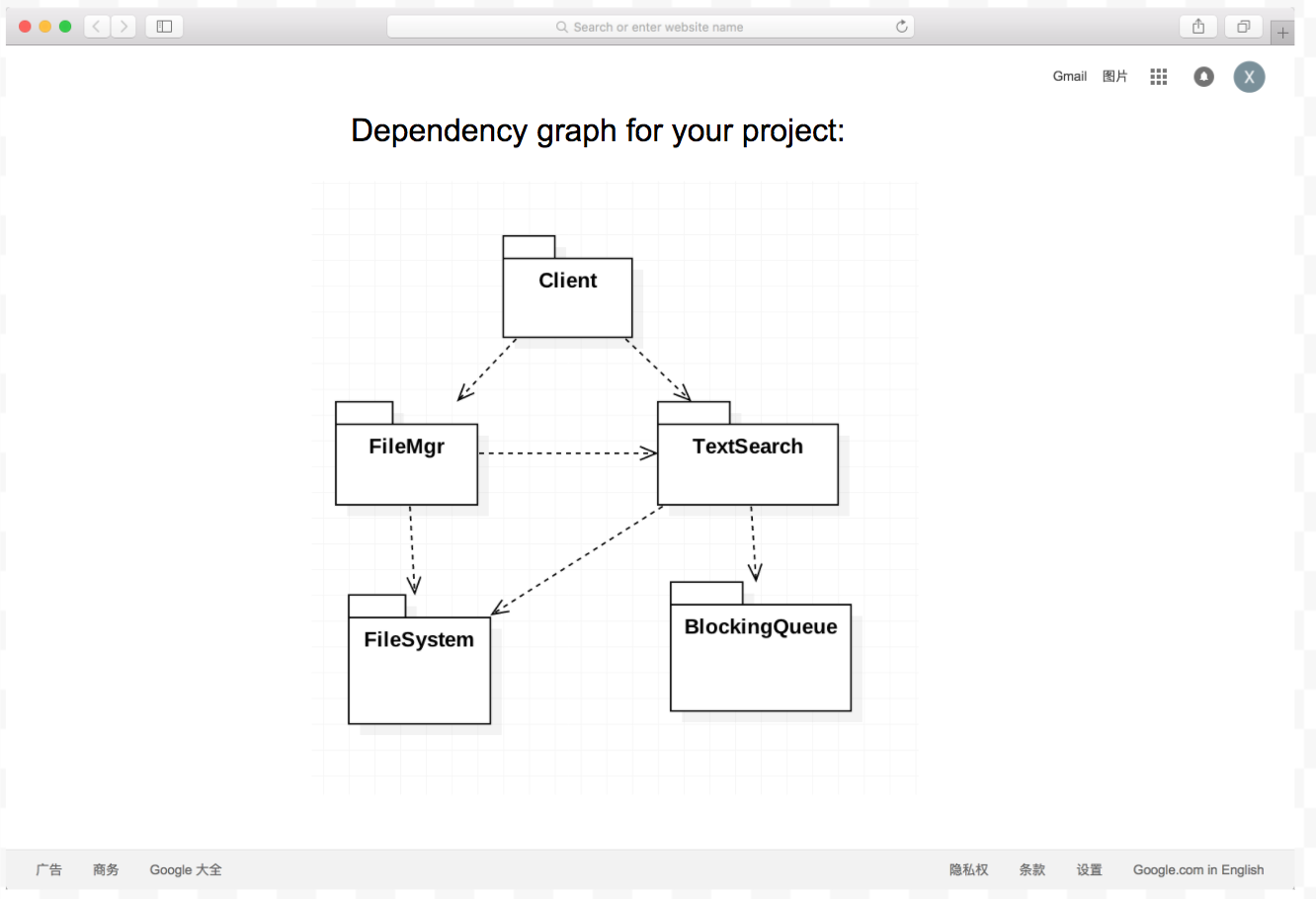
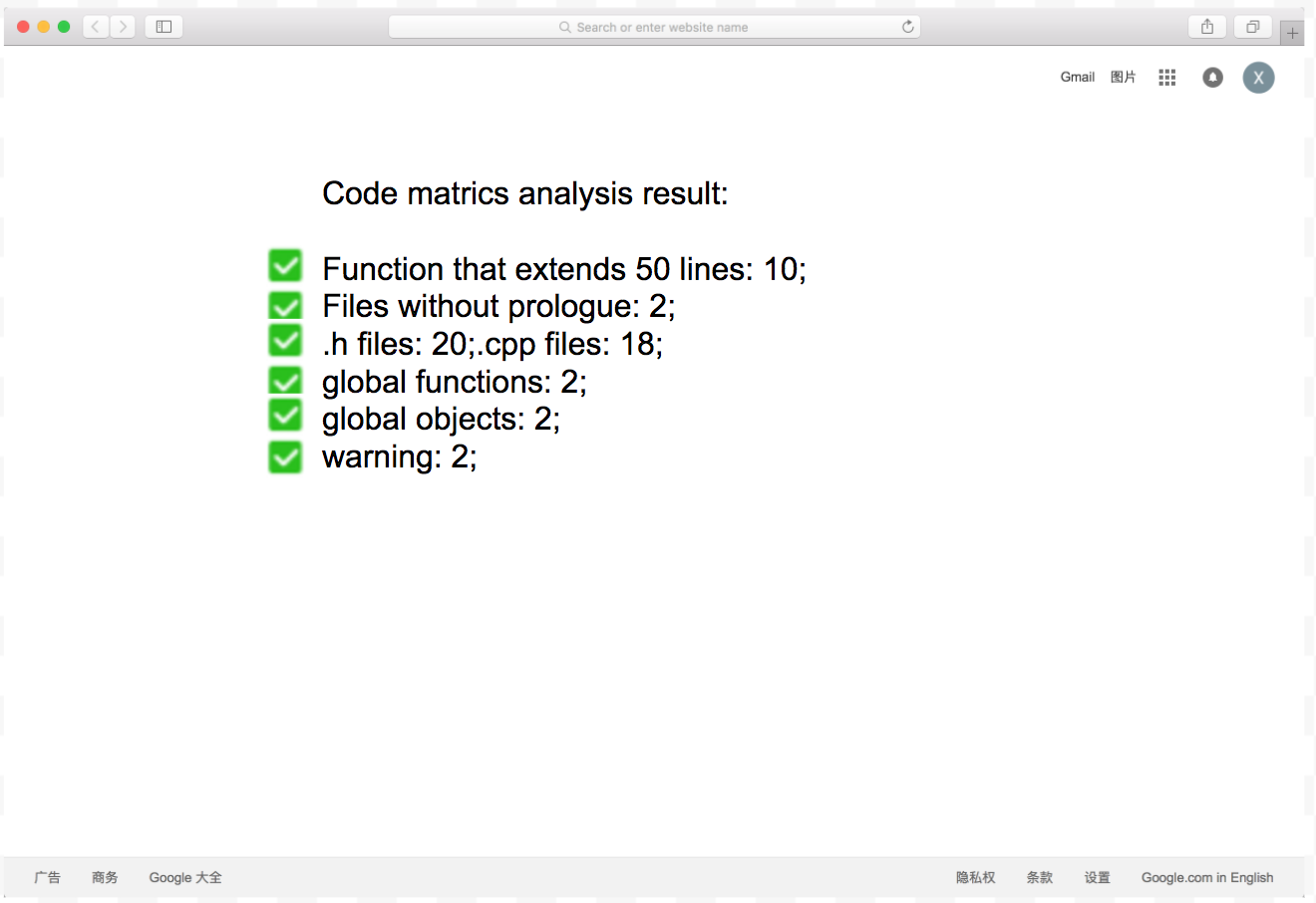
Visualize code metrics and dependency relationship graph on the website.
Detail view of my project structure
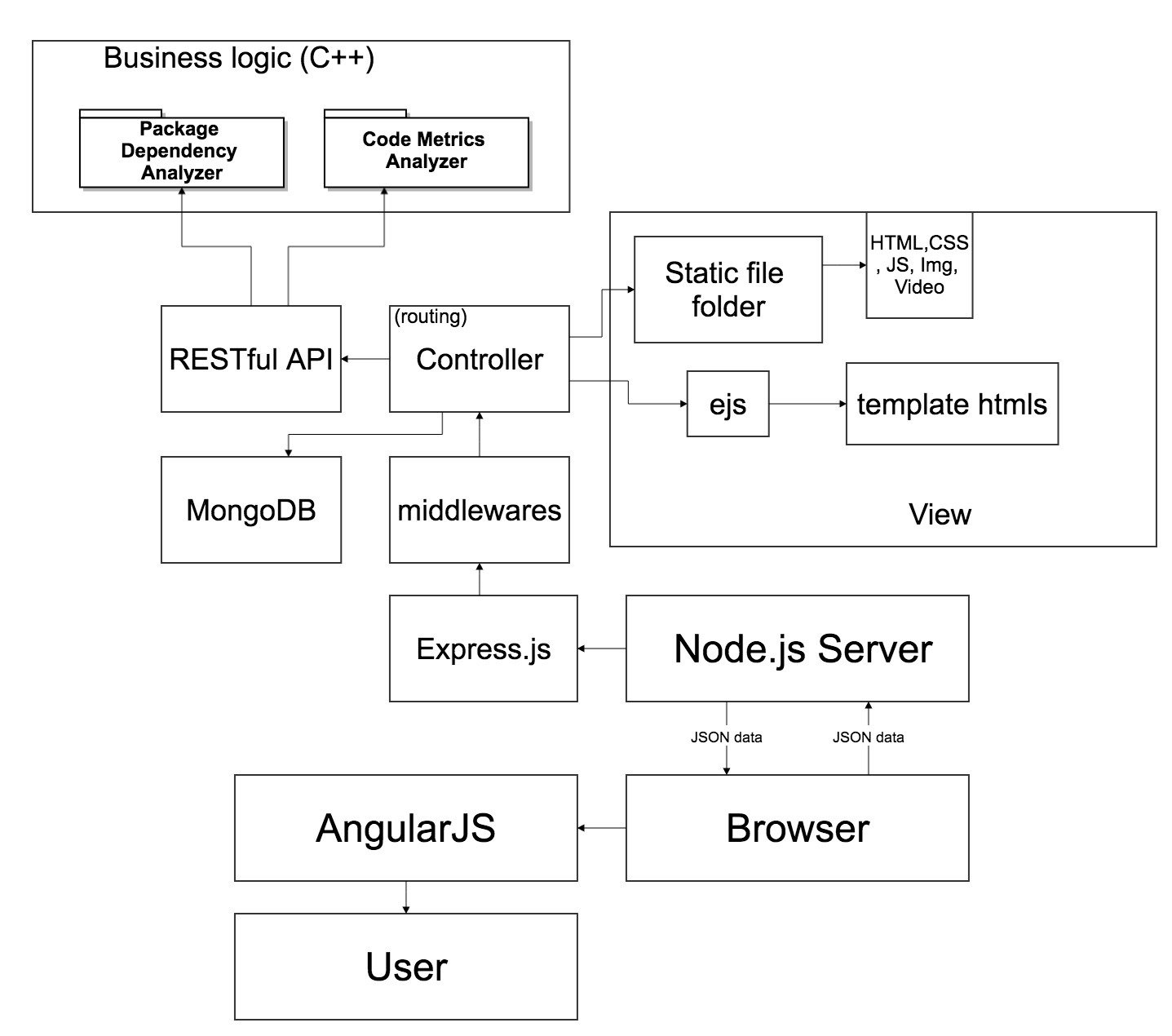
Mockup