|
1
|
- Jim Fawcett
- CSE681 – SW Modeling & Analysis
- Summer 2003
|
|
2
|
- Looks a lot like Java.
- A strong analogy between:
- Java Virtual Machine & .Net CLR
- Java bytecodes & .Net Intermediate Language
- Java packages & CRL components and assemblies
- Both have Just In Time (JIT) compilers
- Both support reflection, used to obtain class information at run time
- Both languages lack generics
- Differences:
- Java and C# do have significant differences
- C# has most of the operators and keywords of C++
- C# has enumerations
- C# plans to add generics in the second release of Visual Studio 7
- C# code supports attributes – tagged metadata
|
|
3
|
|
|
4
|
- In C# there are no global functions.
Everything is a class.
- Main(string args[]) is a static member function of a class.
- The C# class libraries are like Java Packages, not like the C and C++
Standard Libraries.
- System, System.Drawing, System.Runtime.Remoting, System.Text,
System.Web
- C# class hierarchy is rooted in a single “Object” class
- C# does not separate class declaration and member function definitions.
- Every function definition is inline in the class declaration – like the
Java structure.
- There are no header files.
- Instead of #include, C# uses using statements:
- using System;
- using System.ComponentModel;
|
|
5
|
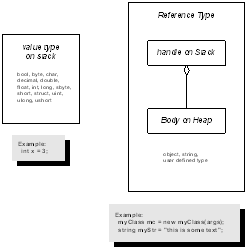
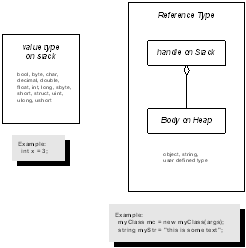
- The C# object model is very different from the C++ object model.
- Illustrated on the next slide
- C# supports only single inheritence of implementation, but multiple
inheritance of interfaces
- C# does not support use of pointers, only references, except in “unsafe”
code.
- Use of a C# variable before initialization is a compile-time error.
|
|
6
|
|
|
7
|
- The CLR defines a new delegate type, used for callbacks.
- event is a keyword in all CLR languages.
- All memory allocations are subject to garbage collection – you don’t
call delete.
- There are no #includes unless you want to use unmanaged C++ in the same
file as managed C++.
- In managed C++ all class data members are either primitive value types,
C++ references, or C++ pointers.
Nothing else is allowed.
- The CLR provides threads, directory services, and remoting. The Standard C++ Library provides non
of these, although the first two are easy to provide yourself.
|
|
8
|
- Value Types
- Primitive types
- Structures
- methods
- fields
- properties
- Events
- Member adornments:
public, protected, private, abstract, static
- Enumerations
|
|
9
|
- Reference Types
- Classes
- methods
- fields
- properties
- Events
- Member adornments:
public, protected, private, abstract, static
- Interfaces
- Class can inherit more than one
- Must implement each base interface
- Delegates
- Instances used for notifications
|
|
10
|
- .Net Base Class
- System.Byte
- System.SByte
- System.Int16
- System.Int32
- System.Int64
- System.UInt16
- System.UInt32
- System.UInt64
- System.Single
- System.Double
- System.Object
- System.Char
- System.String
- System.Decimal
- System.Boolean
- C# Types
- byte
- sbyte
- short
- int
- long
- ushort
- uint
- ulong
- float
- double
- object
- char
- string
- decimal
- bool
|
|
11
|
- Object is the root class of the C# library
- Object’s members:
- public Object();
- public virtual Boolean Equals(Object obj);
- Returns true if obj and invoker handles point to the same body.
- public virtual Int32 GetHashCode();
- Return value identifies object instance.
- public Type GetType();
- Type object supports RTTI – see next page
- public virtual String ToString();
- protected virtual void Finalize();
- Called to free allocated resources before object is garbage collected.
- protected Object MemberwiseClone();
- Performs shallow copy
- To have your class instances perform deep copies you need to implement
the ICloneable interface.
|
|
12
|
- You get a type object in several ways:
- Type t = myObj.GetType();
- Type t = Type.GetType(“myObj”);
- Some of Type’s members:
- IsAbstract
- IsArray
- IsClass
- IsComObject
- IsEnum
- IsInterface
- IsPrimitive
- IsSealed
- IsValueType
- InvokeMember()
- GetType() returns Type Object
- FindMembers() returns MemberInfo array
- GetEvents() returns EventInfo array
- GetFields() :
- GetMethods() :
- GetInterfaces() :
- GetMembers() :
- GetProperties() :
|
|
13
|
- You get type object this way:
- Type t = myObj.GetType();
- Type t = Type.GetType(“myObj”);
- Some of Type’s members:
- IsAbstract
- IsArray
- IsClass
- IsComObject
- IsEnum
- IsInterface
- IsPrimitive
- IsSealed
- IsValueType
- InvokeMember()
- GetType()
returns Type Object
- FindMembers() returns
MemberInfo array
- GetEvents() returns EventInfo array
- GetFields() :
- GetMethods() :
- GetInterfaces() :
- GetMembers() :
- GetProperties() :
|
|
14
|
|
|
15
|
|
|
16
|
|
|
17
|
- IComparable - method
- Int CompareTo(object obj);
- Return:
- Negative => less
- Zero => equal
- Positive => greater
- ICloneable - method
- ICollection – properties and method
- int count { get; }
- bool IsSynchronized { get; }
- object SyncRoot { get; }
- void CopyTo(Array array, int index);
|
|
18
|
- IEnumerable - method
- System.Collections.IEnumerator GetEnumerator();
- IEnumerator – property and methods
- object Current { get; }
- bool MoveNext();
- void Reset();
|
|
19
|
- IDictionary
- bool IsFixedSize { get; }
- bool IsReadOnly { get; }
- object this[ object key ] { get; set; }
- ICollection keys { get; }
- ICollection values { get; }
- void Add(object key, object value);
- void Clear();
- bool Contains(object key);
- System.Collections.IDictionaryEnumerator GetEnumerator();
- void Remove(object key);
- IList
- bool IsFixedSize { get; }
- bool IsReadOnly { get; }
- object this[ object key ] { get; set; }
- void Add(object key, object value);
- void Clear();
- bool Contains(object key);
- int IndexOf(object value);
- void Insert(int index, object value);
- void Remove(object value);
- void RemoveAt(int index);
|
|
20
|
- Delegates are used for callbacks:
- In response to some event they invoke one or more functions supplied to
them.
- Library code that generates an event will define a delegate for
application developers to use – the developer defines application
specific processing that needs to occur in response to an event
generated by the library code.
- A delegate defines one specific function signature to use:
public delegate
rtnType delFun(args…);
This declares a new type, delFun that invokes functions with
that signature.
- The developer supplies functions this way:
libClass.delFun
myDel =
new
libClass.delFun(myFun);
This declares a new instance, myDel, of the delFun type.
|
|
21
|
- Events are specialized delegates that are declared and invoked by a
class that wants to publish notifications.
The event handlers are functions created by an event subscriber
and given to the delegate.
- A C# event uses the specialized delegate event handler of the
form:
public delegate void evDelegate(
object sender, userEventArgs
eArgs
);
userEventArgs is a subscriber defined class, derived from
System.EventArgs. You usually
provide it with a constructor to allow you to specify information for
the event to use.
- The event is then declared by the publisher as:
public event evDelegate evt;
Either publisher or subscriber has to create a delegate object,
eveDel, and pass it to the other participant.
- The event is invoked by the publisher this way:
evDel(
this, new
userEventArgs(arg)
);
- The subscriber adds an event handler function, myOnEvent, to the event
delegate this way:
Publisher.evDelegate evDel +=
new Publisher.evDelegate(myOnEvent);
|
|
22
|
- A C# thread is created with the statement:
Thread thrd = new Thread();
- System.Threading declares a delegate, named ThreadStart, used to define
the thread’s processing.
- ThreadStart accepts functions that take no arguments and have void
return type.
- You define a processing class that uses constructor arguments or member
functions to supply whatever parameters the thread processing needs.
- To start the thread you simply do this:
Thread thrd = new
Thread();
ThreadStart thrdProc =
new ThreadStart(myProc);
thrd.Start(thrdProc);
|
|
23
|
- The simplest way to provide mutually exclusive access to an object
shared between threads is to use lock:
lock(someObject) {
// do some processing on
// someObject
}
While a thread is processing the code inside the lock statement
no other thread is allowed to access someObject.
|
|
24
|
- Because C# classes are reference types, they expose no physical
implementation detail to a client.
What the client creates on its stack frames are simply handles to
the class implementations.
- The compiler does type checking for a client from metadata in an
accessed assembly.
- No header file is included, so the client is not dependent on
implementation details of the class.
- Consequently, any C# library dll can serve as a component for local
access.
- To make a component remotely accessible, you need to derive from
System.MarshalByRefObject
|
|
25
|
|
|
26
|
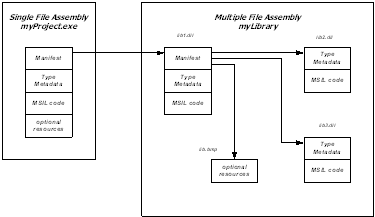
- An assembly is a versioned, self-describing binary (dll or exe)
- An assembly is the unit of deployment in .Net
- An assembly is one or more files that contain:
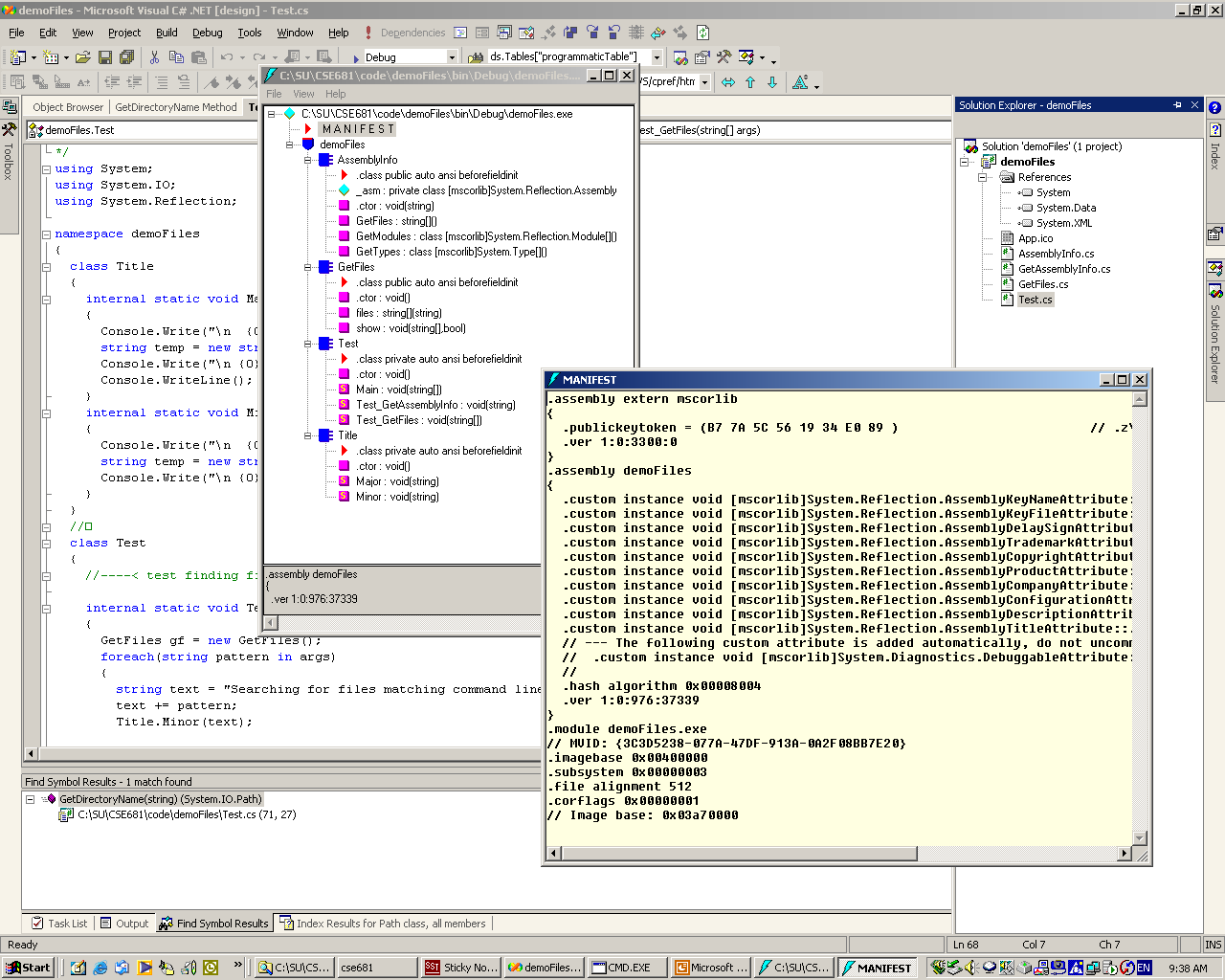
- A Manifest
- Documents each file in the assembly
- Establishes the assembly version
- Documents external assemblies referenced
- Type metadata
- Describes all the methods, properties, fields, and events in each
module in the assembly
- MSIL code
- Platform independent intermediate code
- JIT transforms IL into platform specific code
- Optional resources
- Bitmaps, string resources, …
|
|
27
|
- Visual Studio does most of the work in configuring an assembly for you.
|
|
28
|
|
|
29
|
- Assemblies can be public or private:
- A private assembly is used only by one executable, and no version
information is checked at loadtime.
- Private assemblies are contained in the project directory or, if there
is a config file, in a subdirectory of the project directory.
- A shared assembly is used by more than one executable, and is loaded
only if the version number is compatible with the using executable.
- Shared assemblies reside in the Global Assembly Cache (GAC), a
specific directory.
- Version compatibility rules can be configured by the user.
- Since no registry entries are made for the assembly, each user
executable can attach to its own version of the assembly. This is called side-by-side execution
by Microsoft.
- A shared assembly is created from a private assembly, using one of
Microsoft’s utilities provided for that purpose.
|
|
30
|
- System
- System.Collections
- System.Collections.Specialized
- System.ComponentModel
- Used to create components and controls
- Used by WinForms
- System.ComponentModel.Design.Serialization
- Used to make state of an object persistant
- System.Data
- Encapsulates use of ADO.NET
|
|
31
|
- System.Drawing – GDI+ support
- System.Drawing.Drawing2D – special effects
- System.Drawing.Imaging – support for .jpg, .gif files
- System.Drawing.Printing – settings like margins, resolution
- System.Net – support for HTTP, DNS, basic sockets
- System.Net.sockets – sockets details
- System.Reflection
- view application’s meta data including RTTI
- System.Runtime.InteropServices
- Access COM objects and Win32 API
|
|
32
|
- System.Runtime.Remoting
- System.Runtime.Remoting.Activation
- System.Runtime.Remoting.Channels
- Sets up channel sinks and sources for remote objects
- System.Runtime.Remoting.Channels.HTTP
- Uses SOAP protocol to communicate with remote objects
- System.Runtime.Remoting.Channels.TCP
- Uses binary transmission over sockets
- System.Runtime.Remoting.Contexts
- Set threading and security contexts for remoting
- System.Runtime.Remoting.Messaging
- Classes to handle message passing through message sinks
- System.Runtime.Remoting.Meta data
- Customize HTTP SoapAction type output and XML Namespace URL
- System.Runtime.Remoting.Proxies
- System.Runtime.Remoting.Services
|
|
33
|
- System.Runtime.Serialization
- System.Runtime.Serialization.Formatters
- System.Runtime.Serialization.Formatters.Soap
- System.Security
- System.ServiceProcess
- Create windows services that run as Daemons
- System.Text.RegularExpressions
- System.Threading
- Defines Mutex, Thread, and Timeout
- System.Timers
- Fire events at timed intervals, day, week, or month
|
|
34
|
- System.Web
- System.Web.Hosting
- Communicate with IIS and ISAPI run-time
- System.Web.Mail
- System.Web.Security
- cookies, web authentication, Passport
- System.Web.Services – close ties to ASP.NET
- System.Web.Services.Description
- System.Web.Services.Discovery
- System.Web.Services.Protocol – raw HTTP and SOAP requests
- System.Web.SessionState – maintain state between page requests
- System.Web.UI – access to WebForms
|
|
35
|
- System.Windows.Forms – Forms based GUI design
- System.Xml – XML DOM
- System.Xml.Schema
- Authenticate XML structure
- System.Xml.Serialization
- System.Xml.XPath
- System.Xml.Xsl
- Support for XSL – XML stylesheets
|
|
36
|
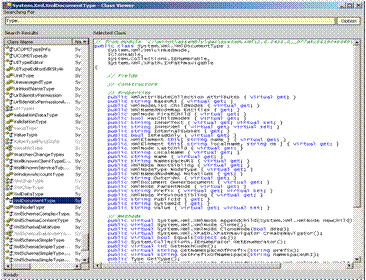
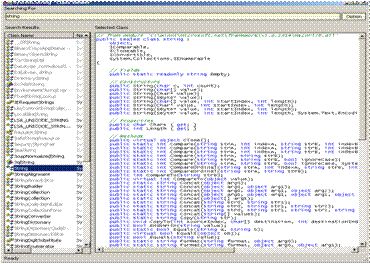
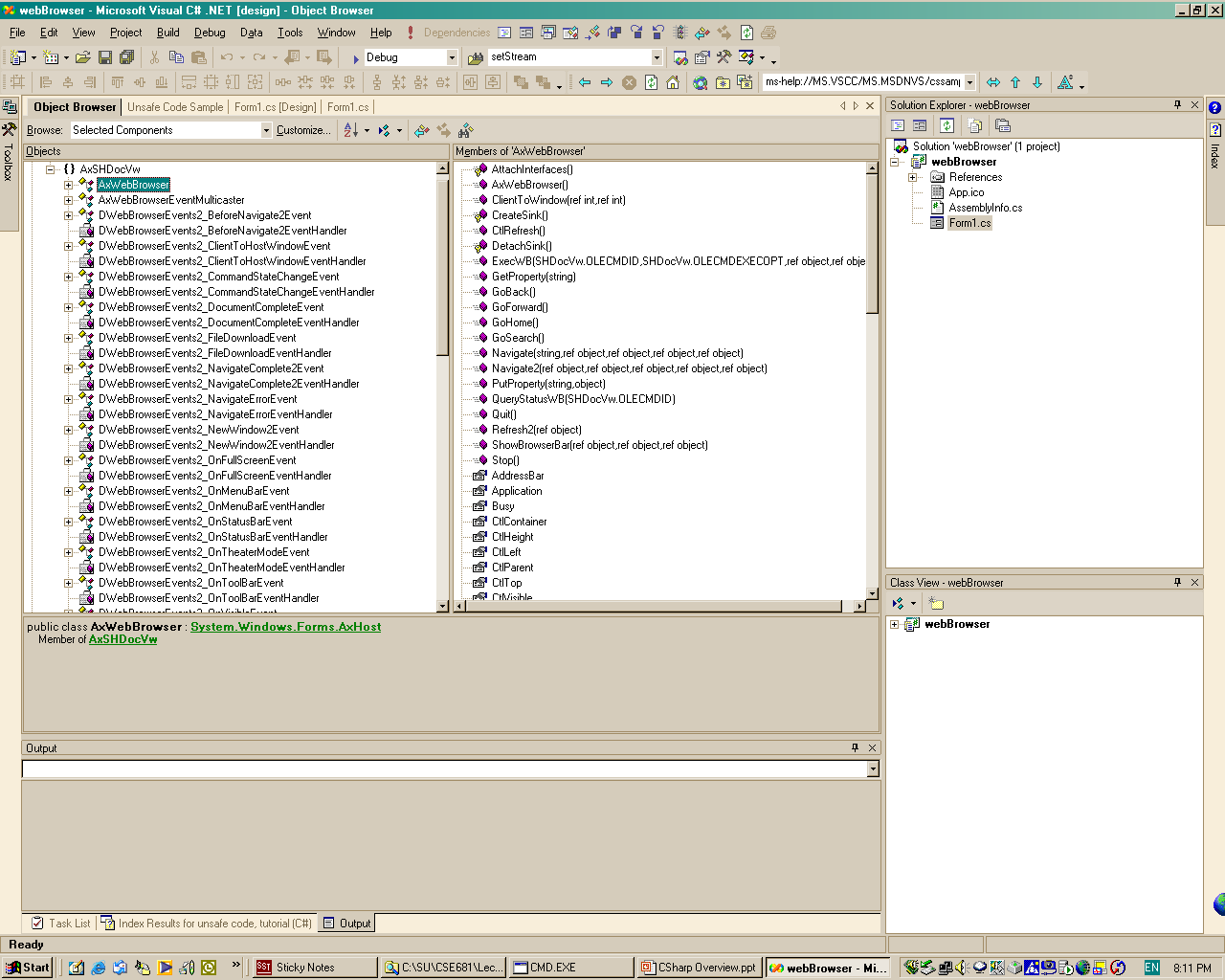
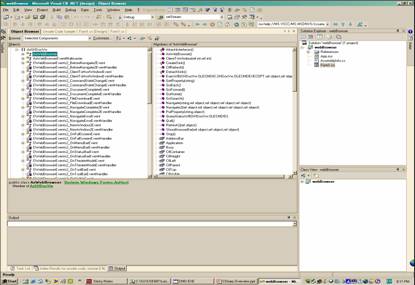
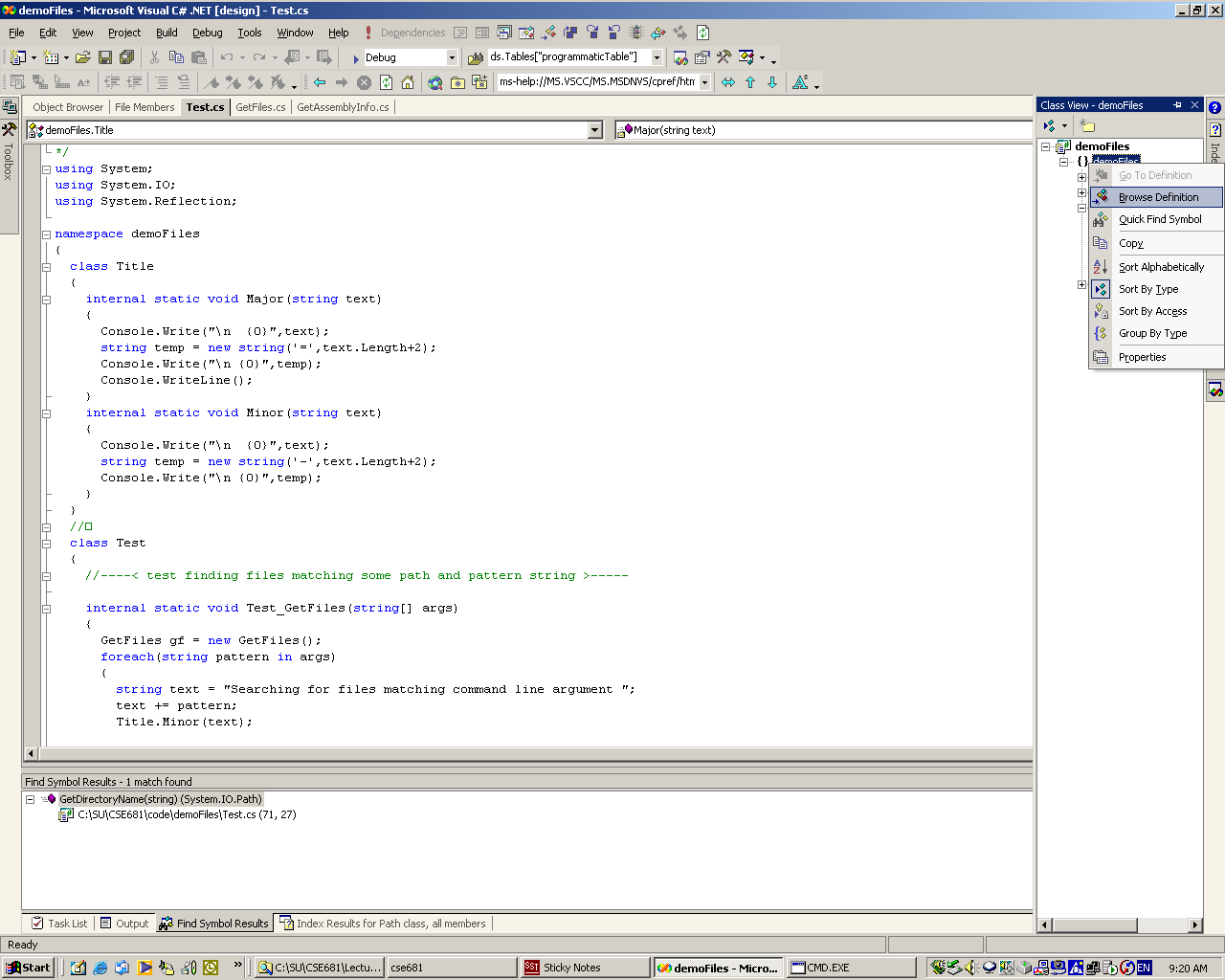
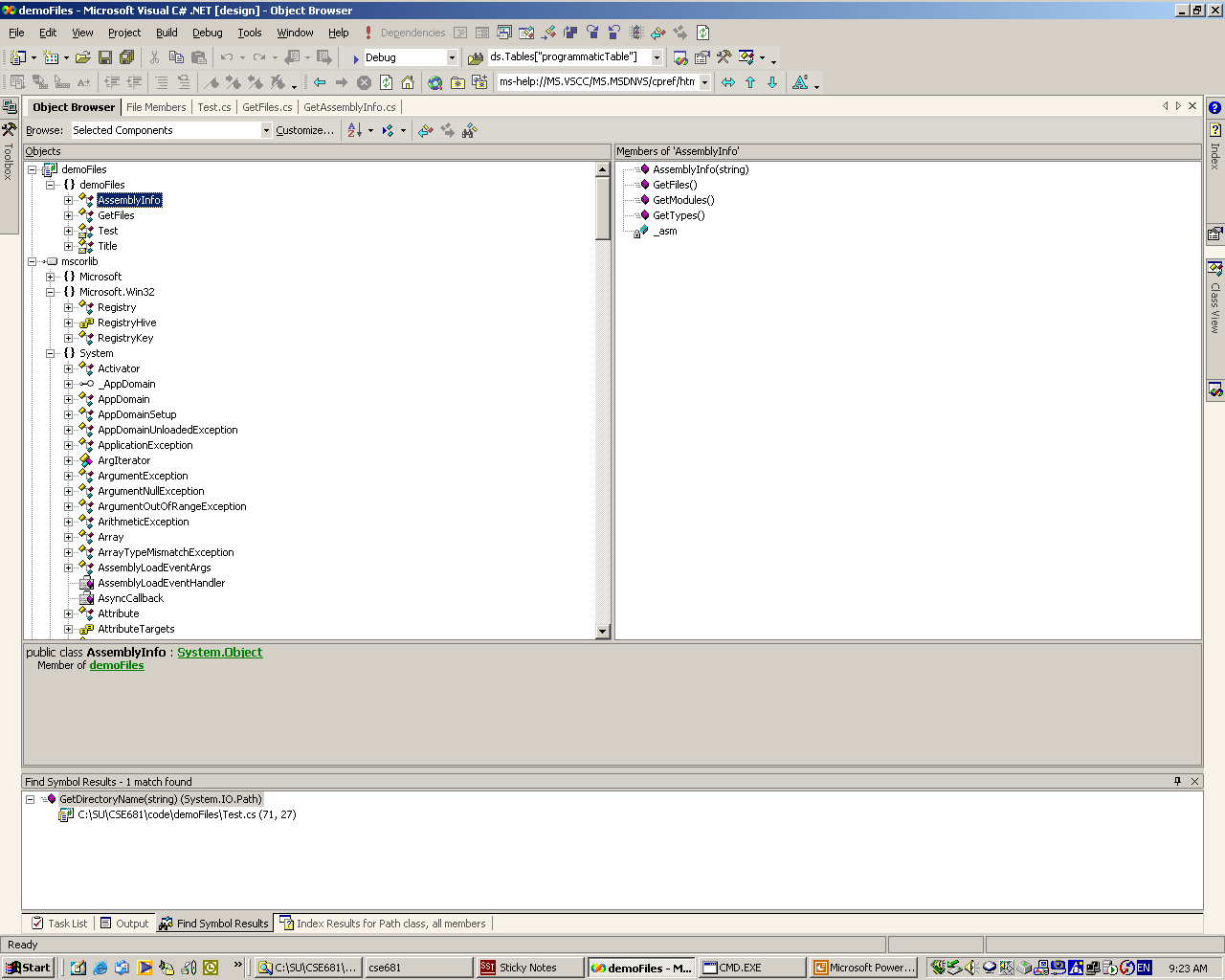
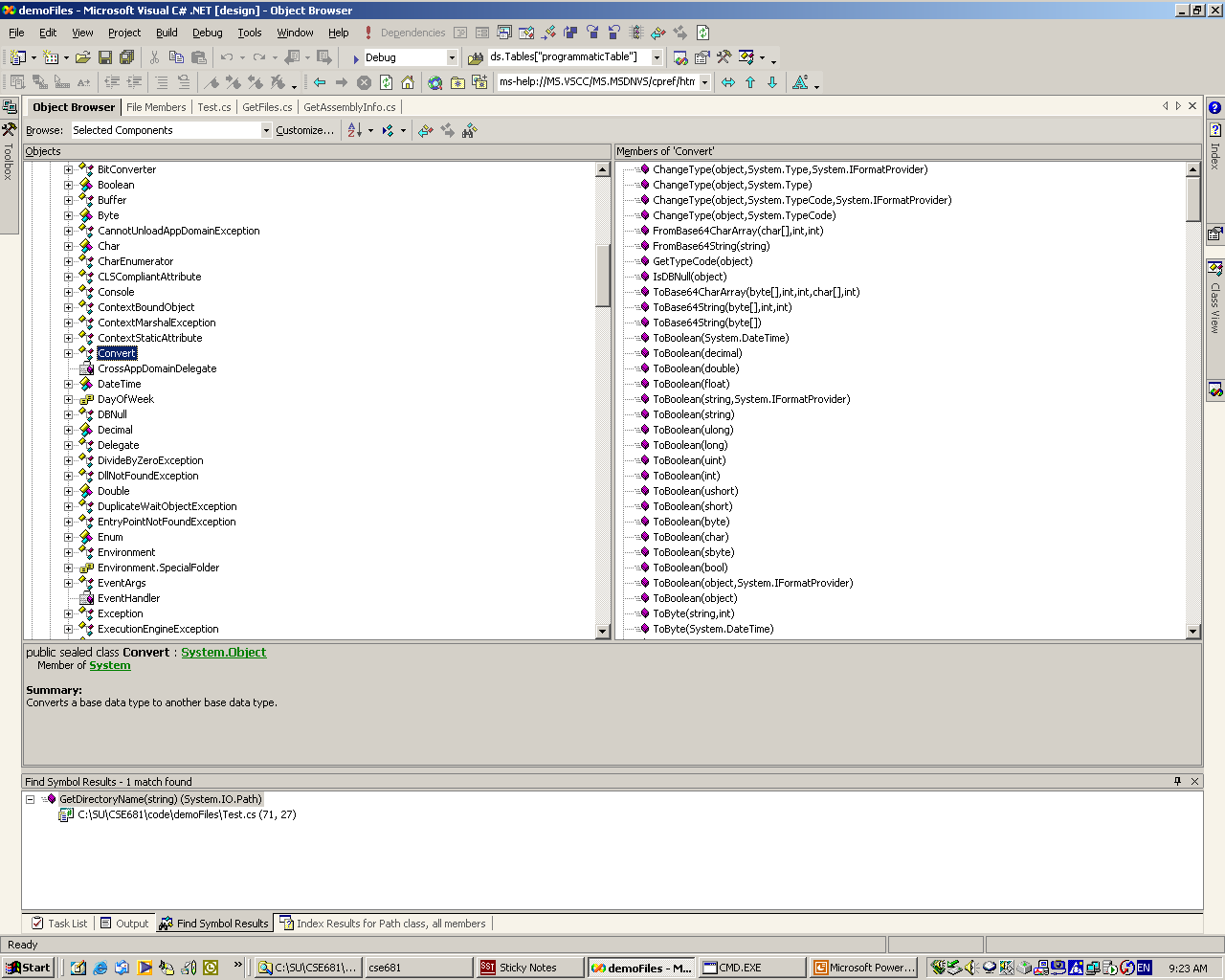
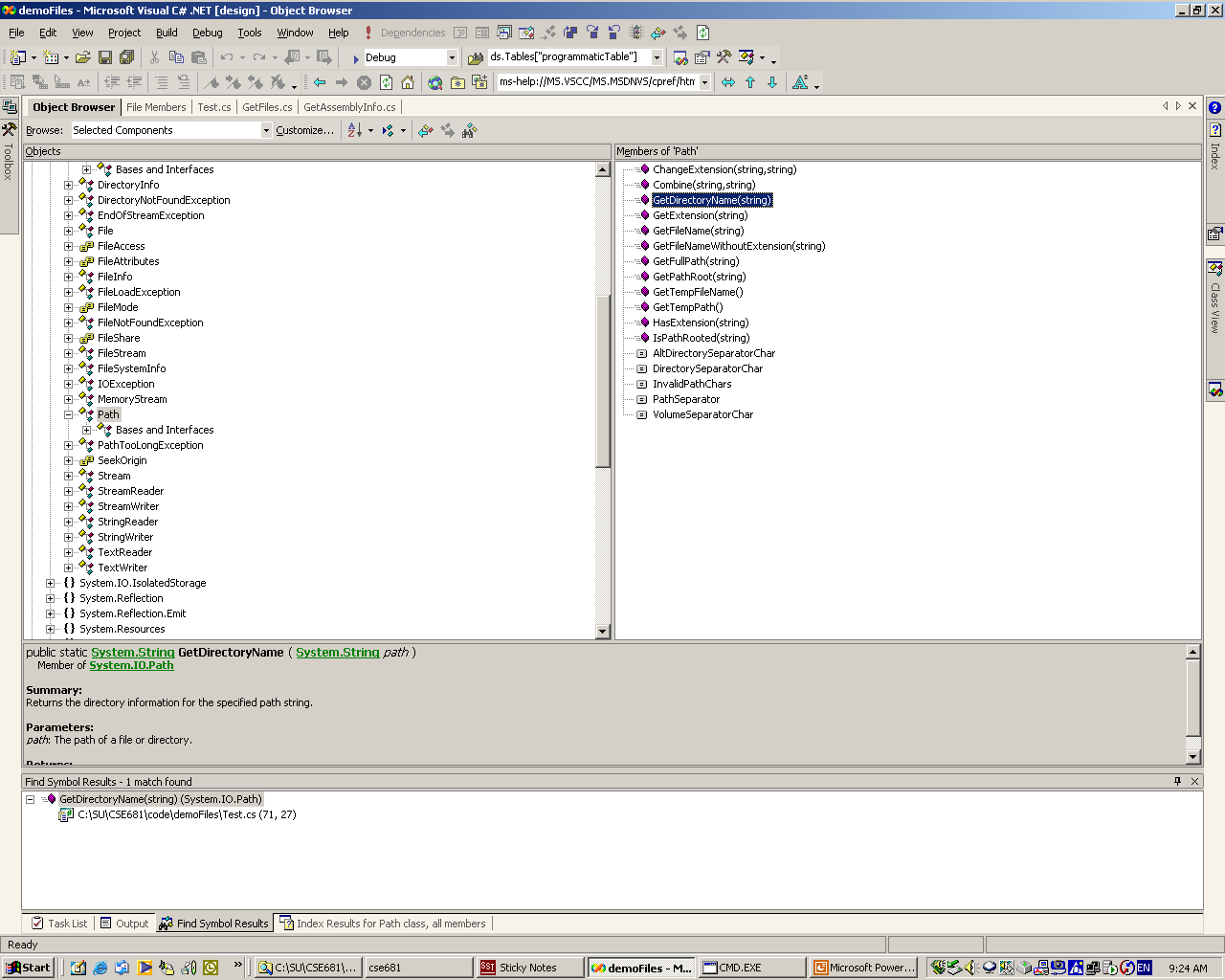
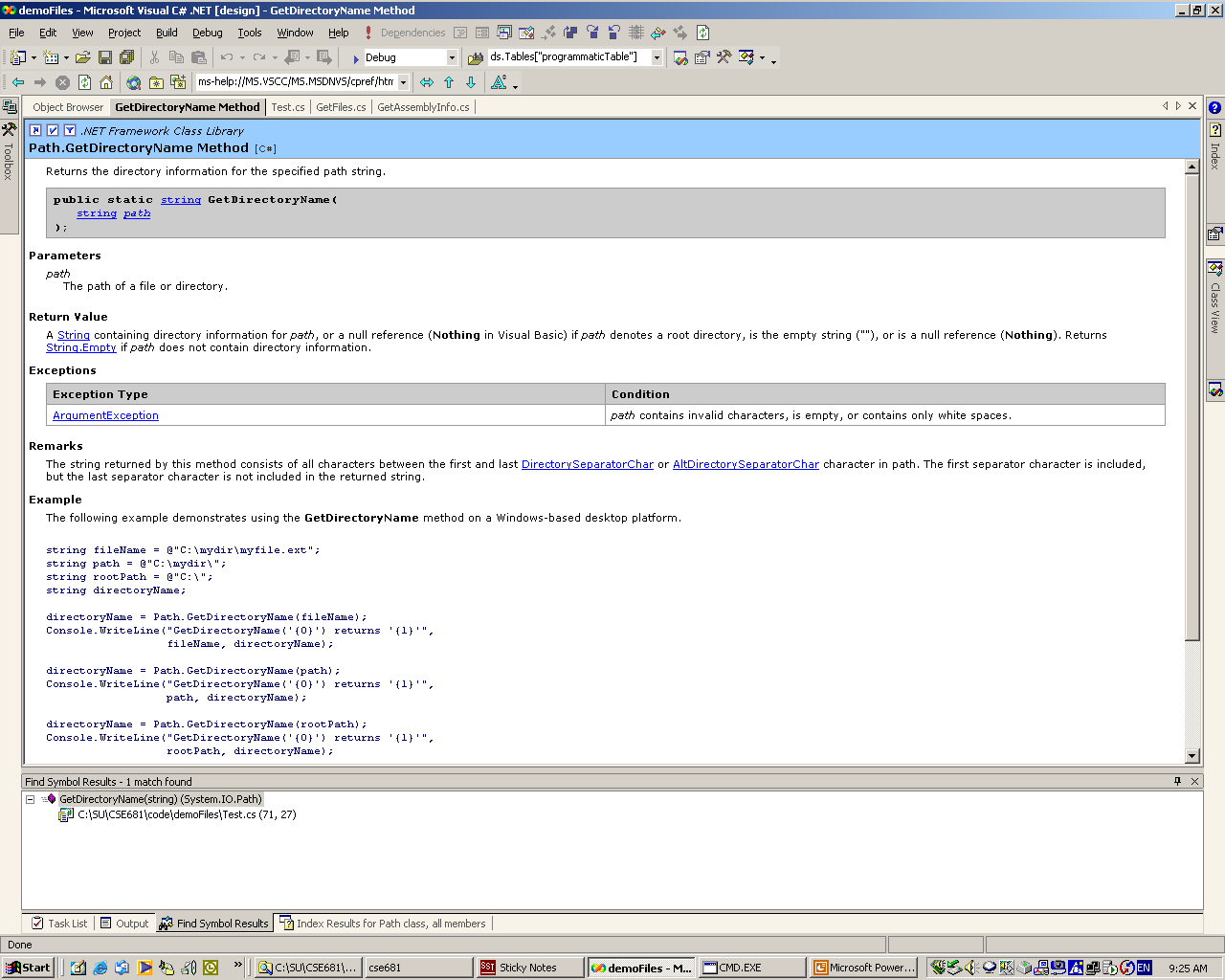
- ClassView -> Class Browser -> Help
to the rescue!
|
|
37
|
|
|
38
|
|
|
39
|
|
|
40
|
|
|
41
|
|

 Notes
Notes